Tutorial
1. Analysis
The analysis component of Web DSSR determines a wide range of spatial parameters from a user-provided PDB ID (the structure identifiers used respectively in the Protein Data Bank) or a PDB/mmCIF/gzip-compressed formatted file. The output files can be downloaded or viewed directly on a results page. Selected features and torsion angle parameters are reported in interactive tables.
Before conducting an analysis on the web server, users are encouraged to verify the PDB ID of the input structure at the PDB website and gain some familiarity with the structure. To use the analysis component, the user can enter a valid PDB ID in the input area, for example "1EUY".
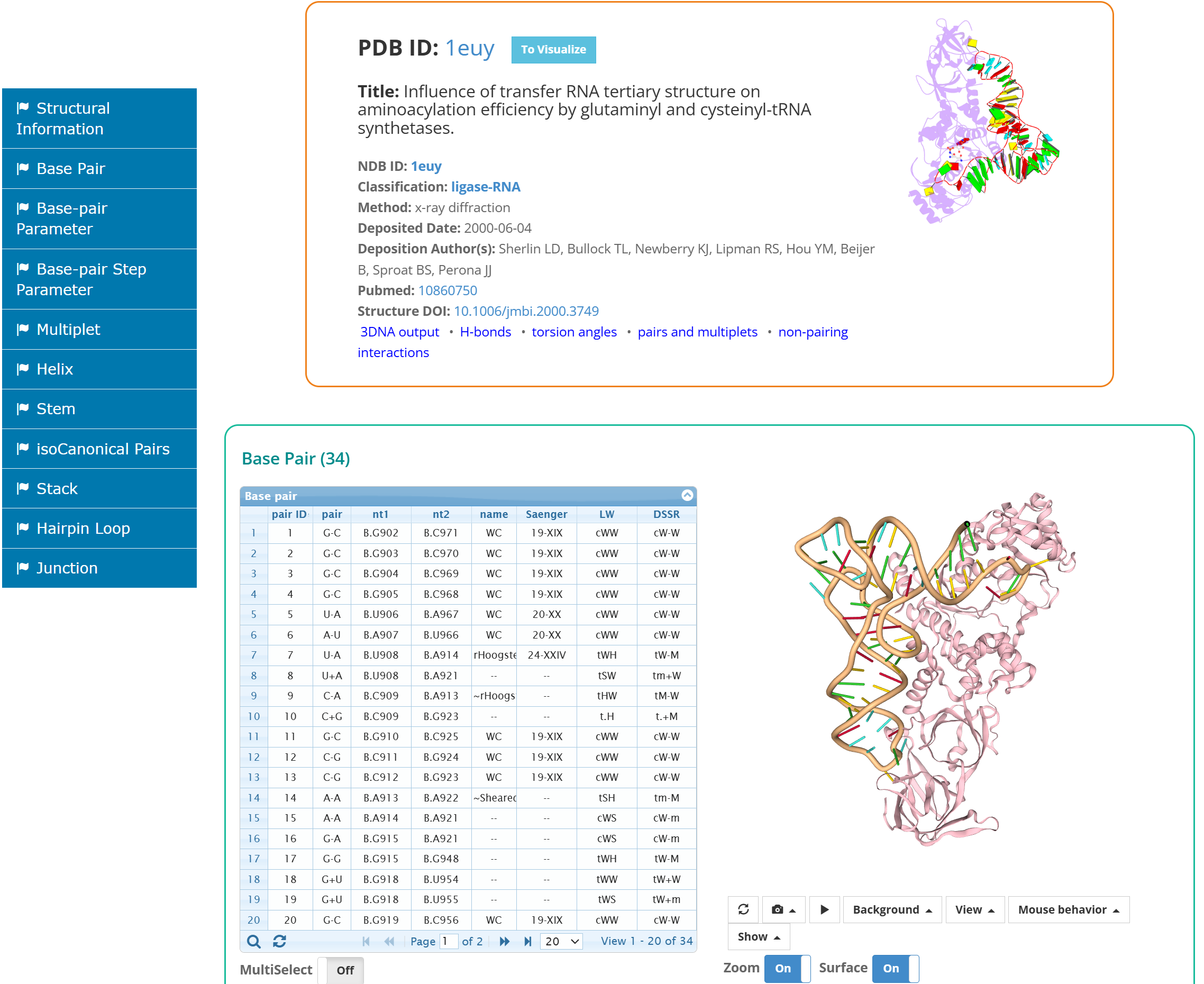
After clicking the 'Analyze' tab button, the user is directed to a results page containing:
1. Structural summary; 2. Interactive tables and Interactive 3D view; 3. A navigation pane.
The navigation pane shows all the features found for the input structure. The user can click each feature on the pane to see the details.
2. Visualization
The visualization component of Web DSSR calculates the secondary structure notation and display the 1D sequence, 2D secondary structure and 3D folding
The user can enter a valid PDB ID in the input area, for example "1EUY" or a PDB/mmCIF/gzip-compressed formatted file.
After clicking the 'Visualize' tab button, the user is directed to a results page containing 2D secondary structure control and 3D view.
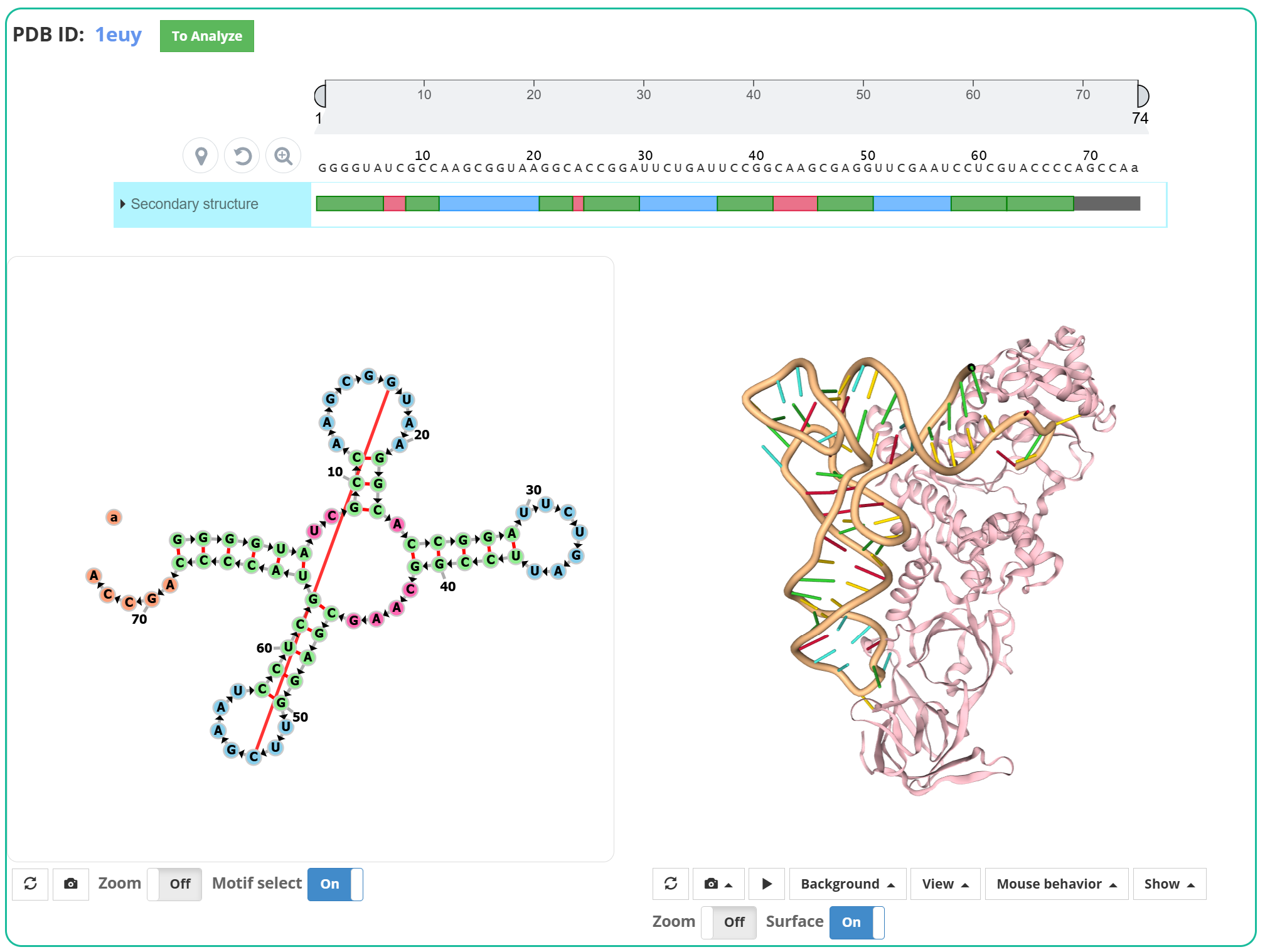
The user can click nucleotide or motif to see simultaneous displaying of selection on each view.
3. Rebuild
The Rebuild component constructs a nucleic acid model from base-pair or base-step parameters. This component is intended for structural parameters such as Shear, Stretch, Slide, and Rise; a raw DNA/RNA sequence or FASTA file is not a valid input.
The user can select one of the example parameter sets, paste parameters into the text area, or upload a .txt or .par file. The user then chooses a B-DNA, A-DNA, or RNA backbone and can optionally enable backbone geometry optimization.
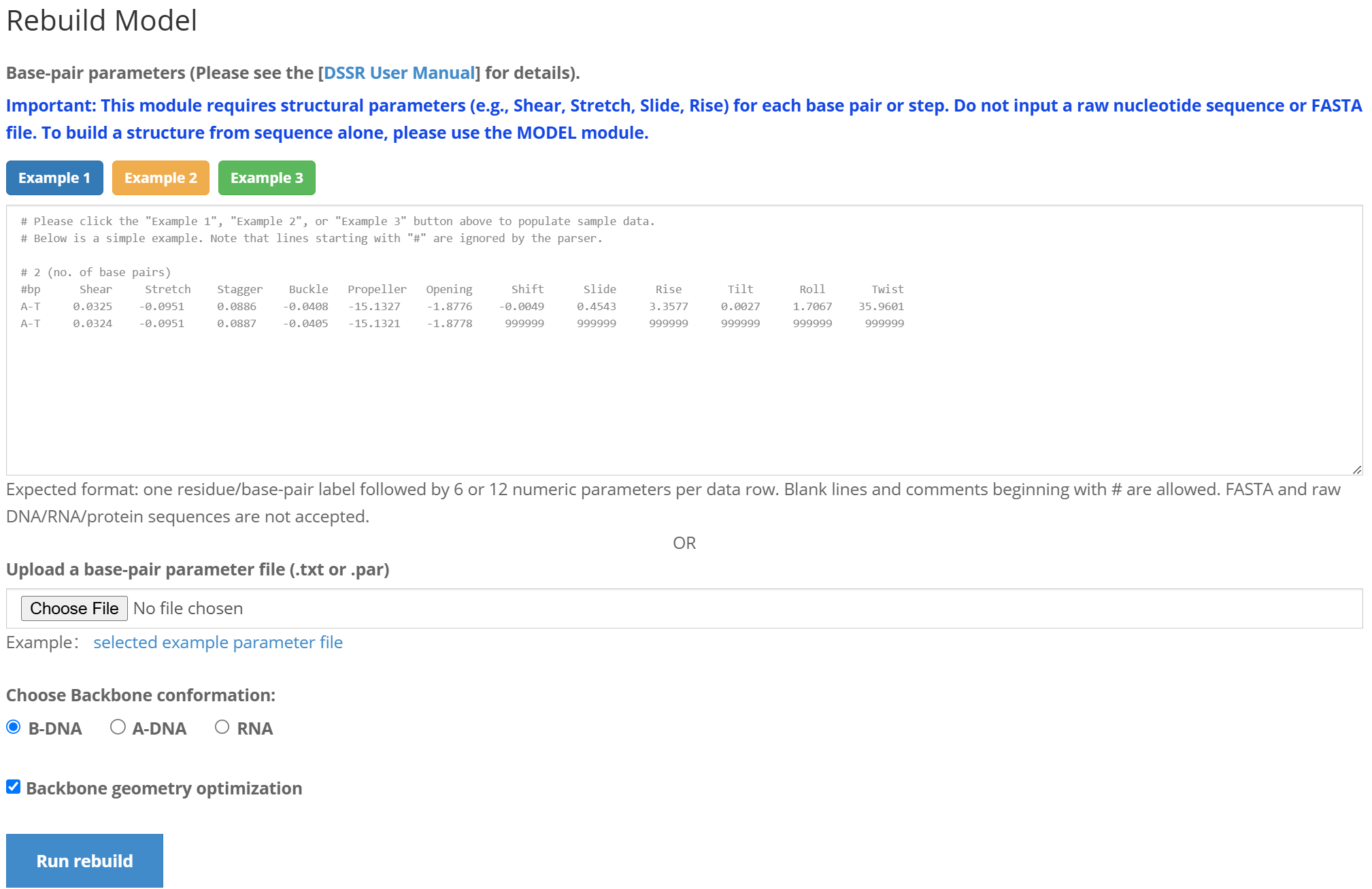
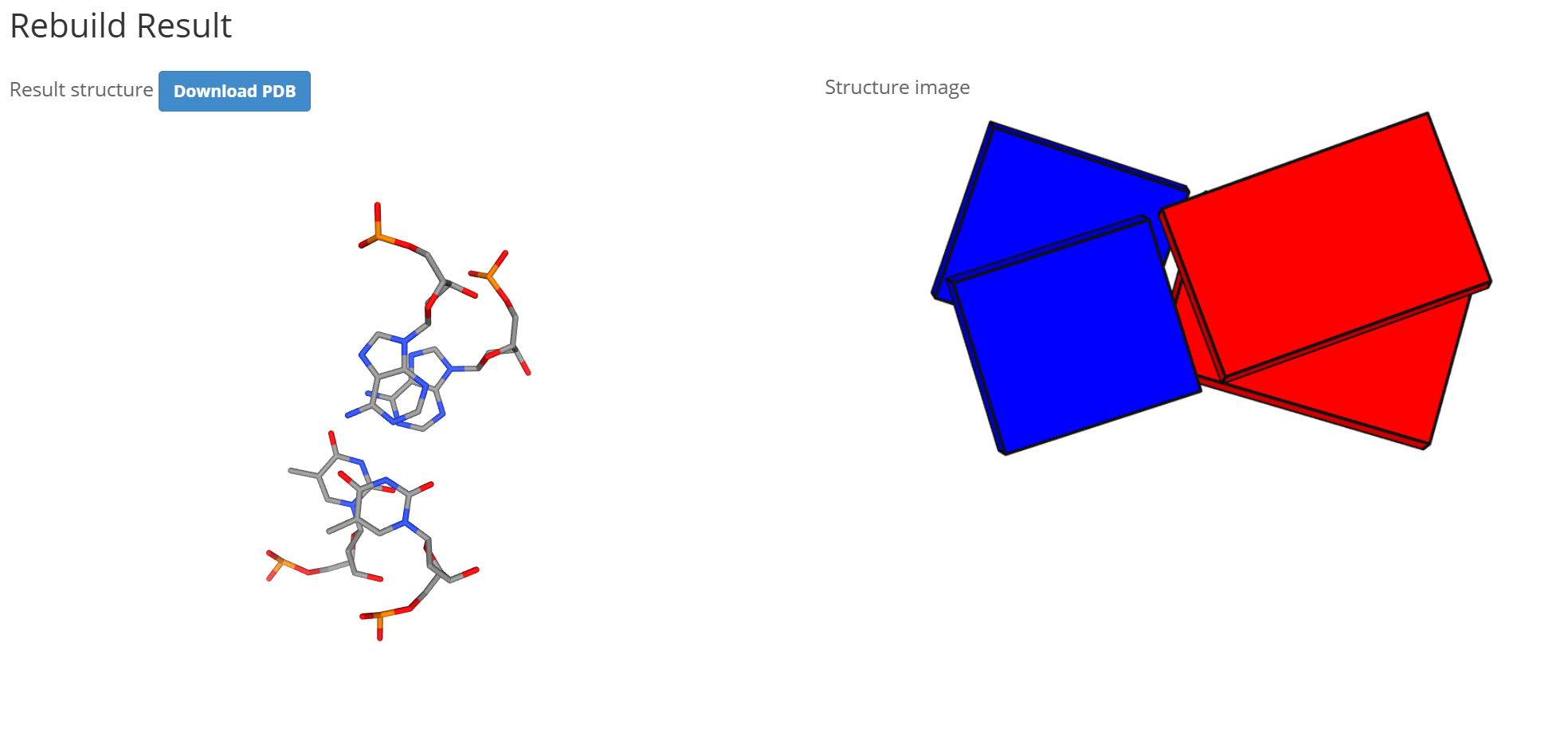
After clicking the "Run rebuild" button, the results page contains:
1. An 3D view of the rebuilt structure; 2. A link for downloading the rebuilt model in PDB format; 3. A static structure image.
4. Model
The Model component builds regular nucleic acid fiber models directly from a sequence. It provides commonly used A-DNA, B-DNA, and RNA conformations as well as a full list of fiber models, each with its characteristic twist and rise parameters.
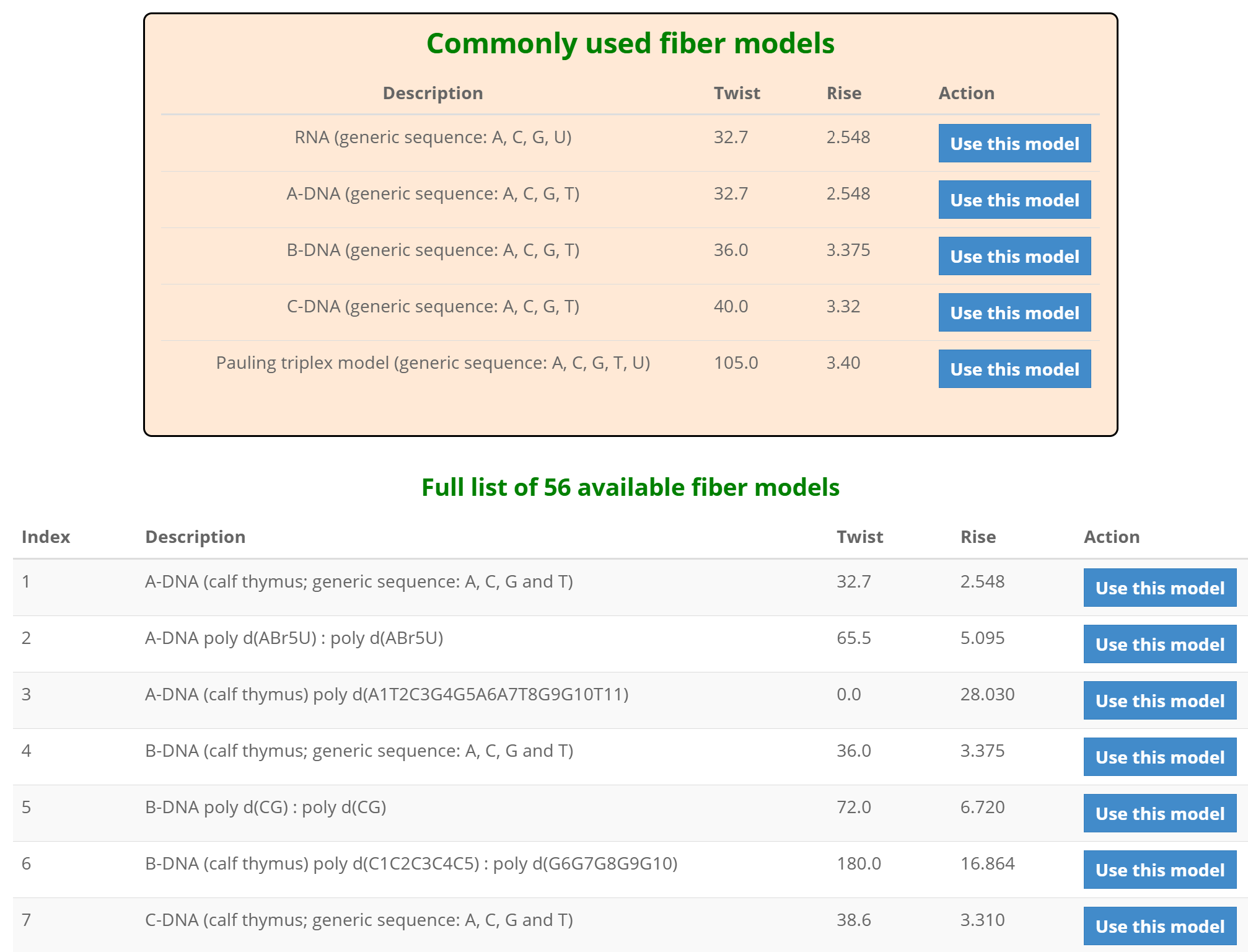
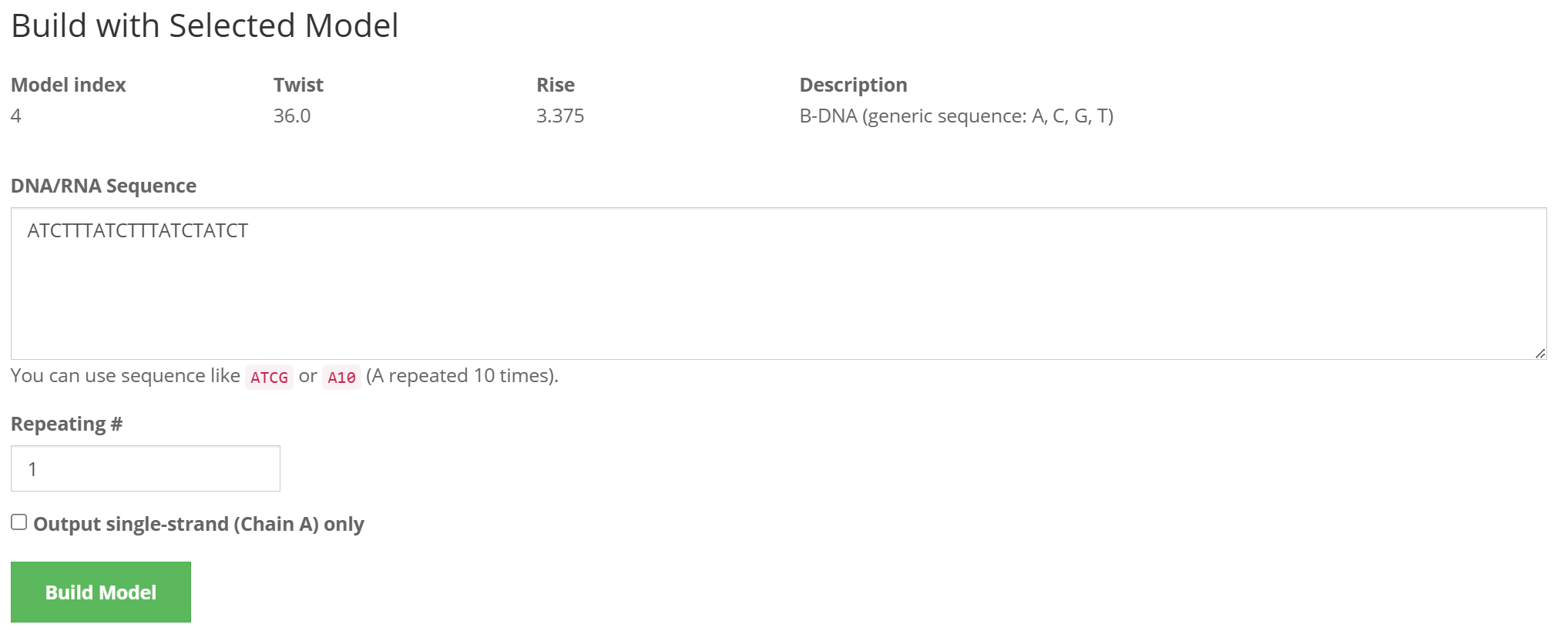
The user selects a fiber conformation by clicking its "Use this model" button. On the next page, enter a nucleic acid sequence, specify the number of repeats, review the selected model parameters, and submit the form to build the structure.
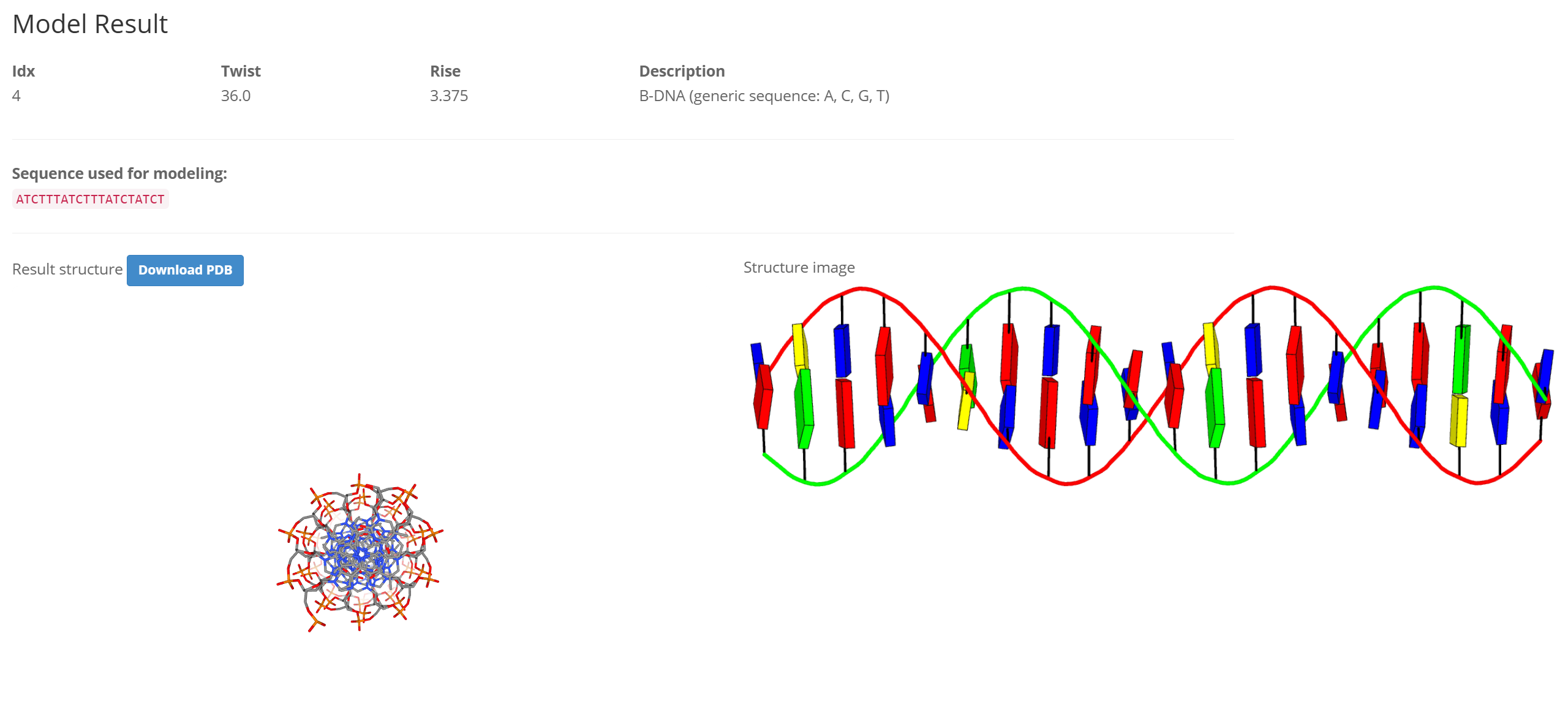
The results page reports the selected fiber model and sequence used for modeling, and provides an 3D view, a static structure image, and a downloadable PDB file.
5. Circularize
The Circularize component creates a closed circular nucleic acid model from a user-provided sequence. A sequence of at least 30 base pairs is required. Repeated bases can be entered compactly, for example A30 for 30 adenines.
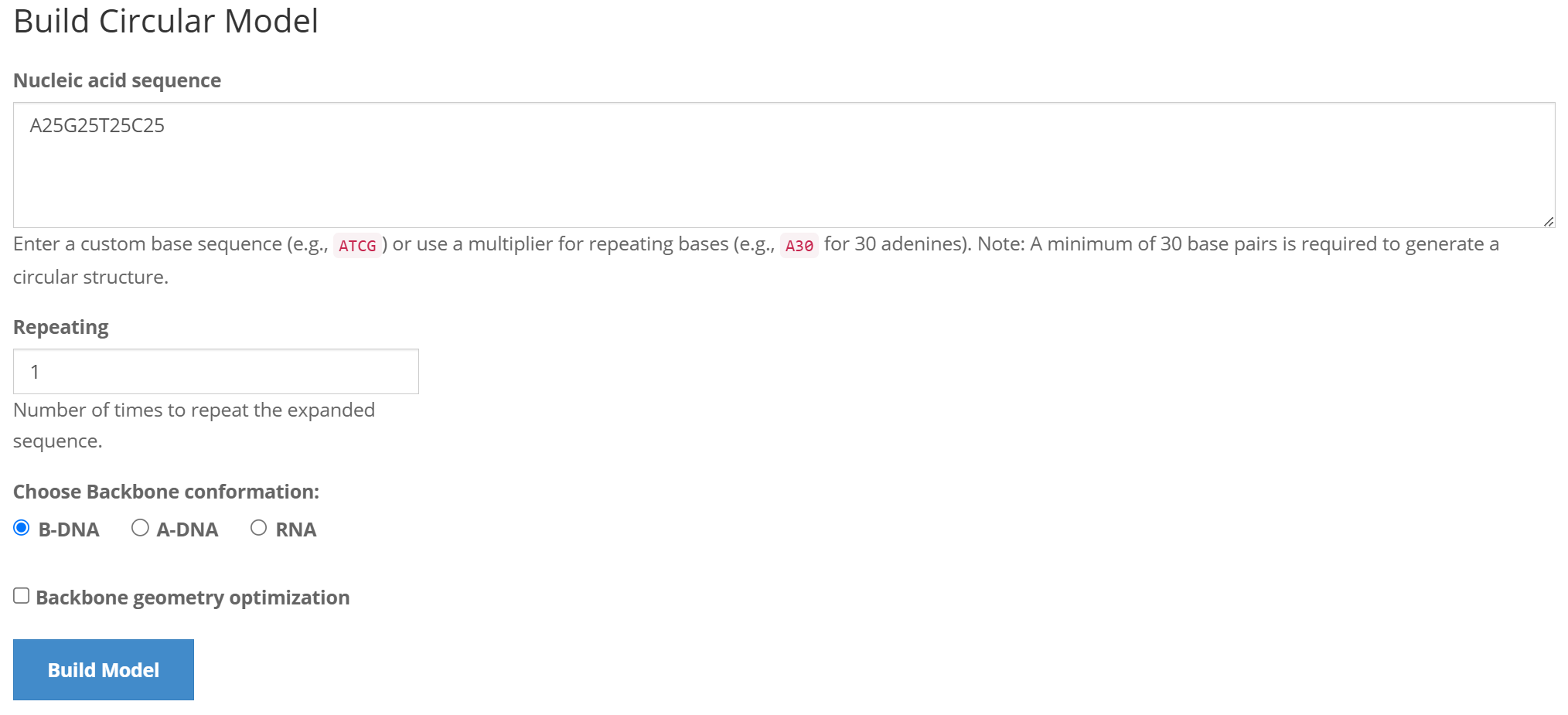
The user enters a sequence, chooses how many times it should be repeated, selects a B-DNA, A-DNA, or RNA backbone, and can optionally enable backbone geometry optimization.
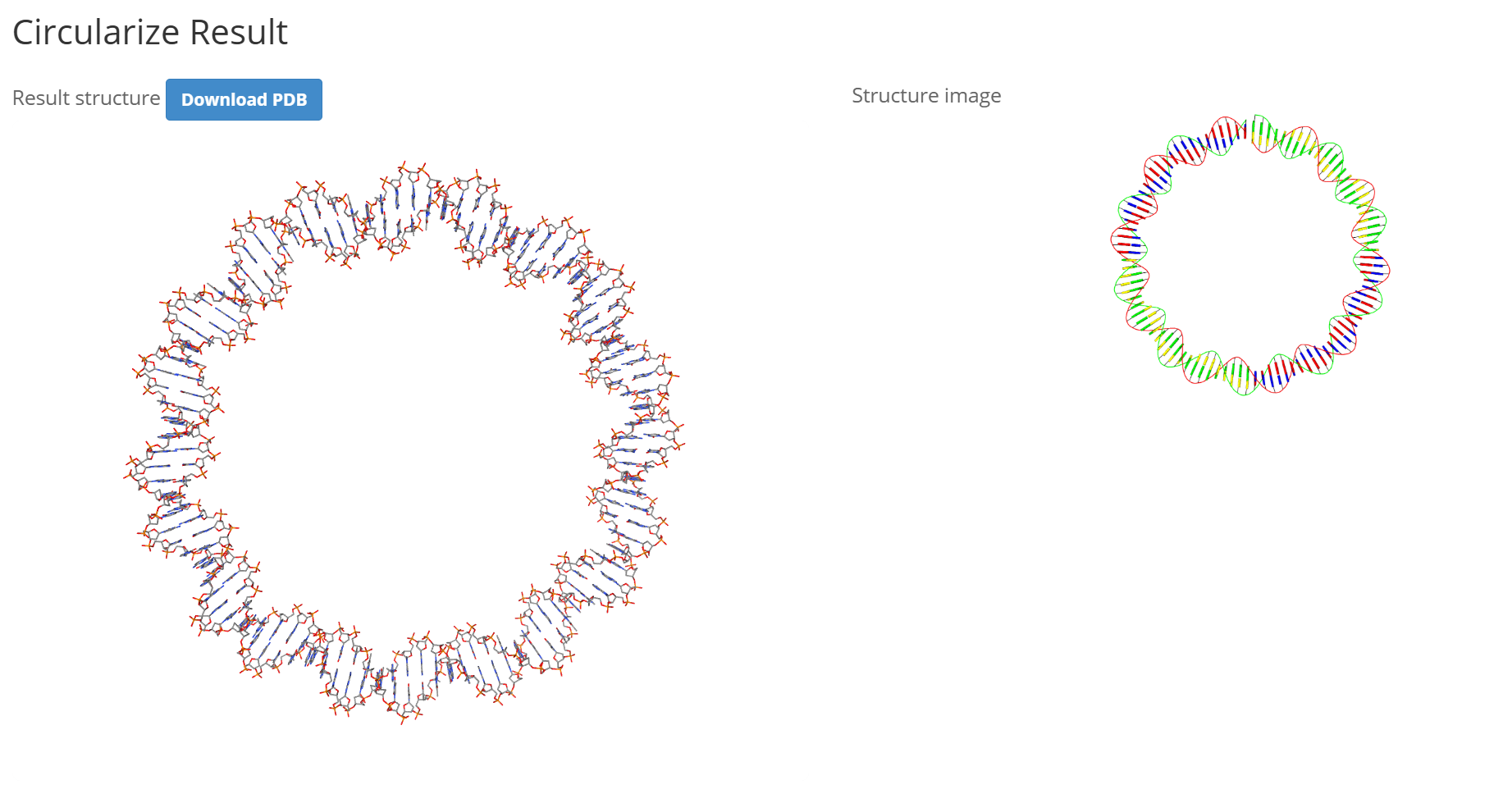
After clicking the "Build Model" button, the generated circular structure is displayed in an 3D viewer and as a static image. The resulting model can also be downloaded in PDB format.
6. Mutate
The Mutate component replaces one or more nucleotides in an existing nucleic acid structure while preserving the overall structural context.
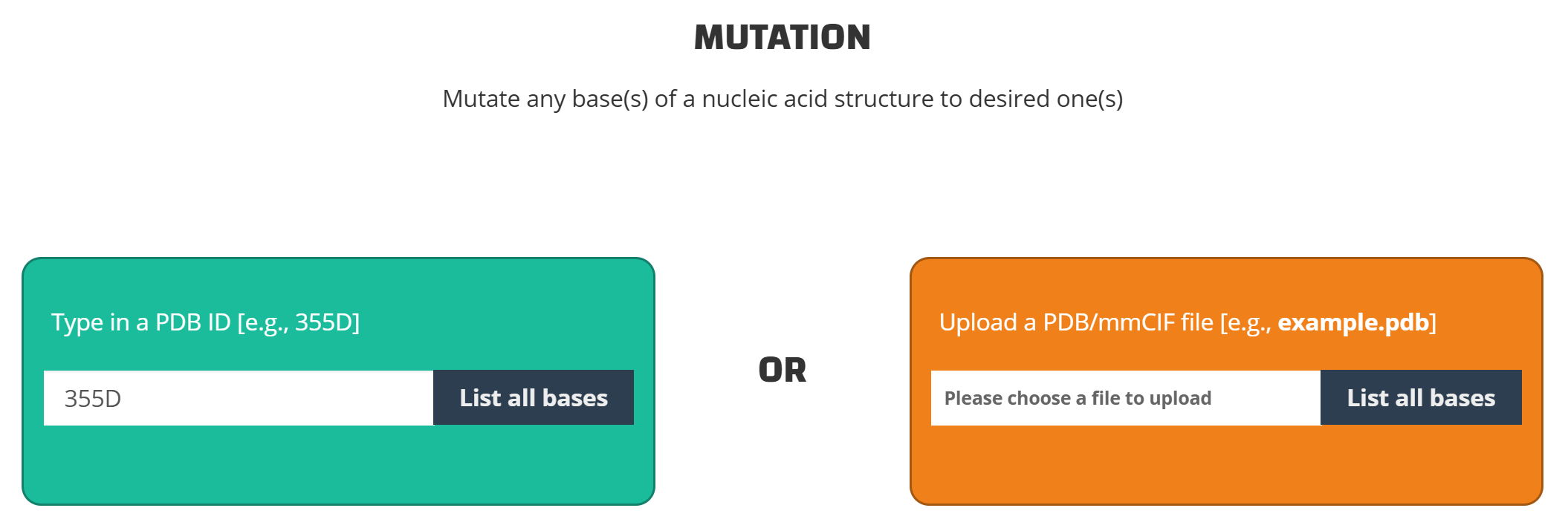
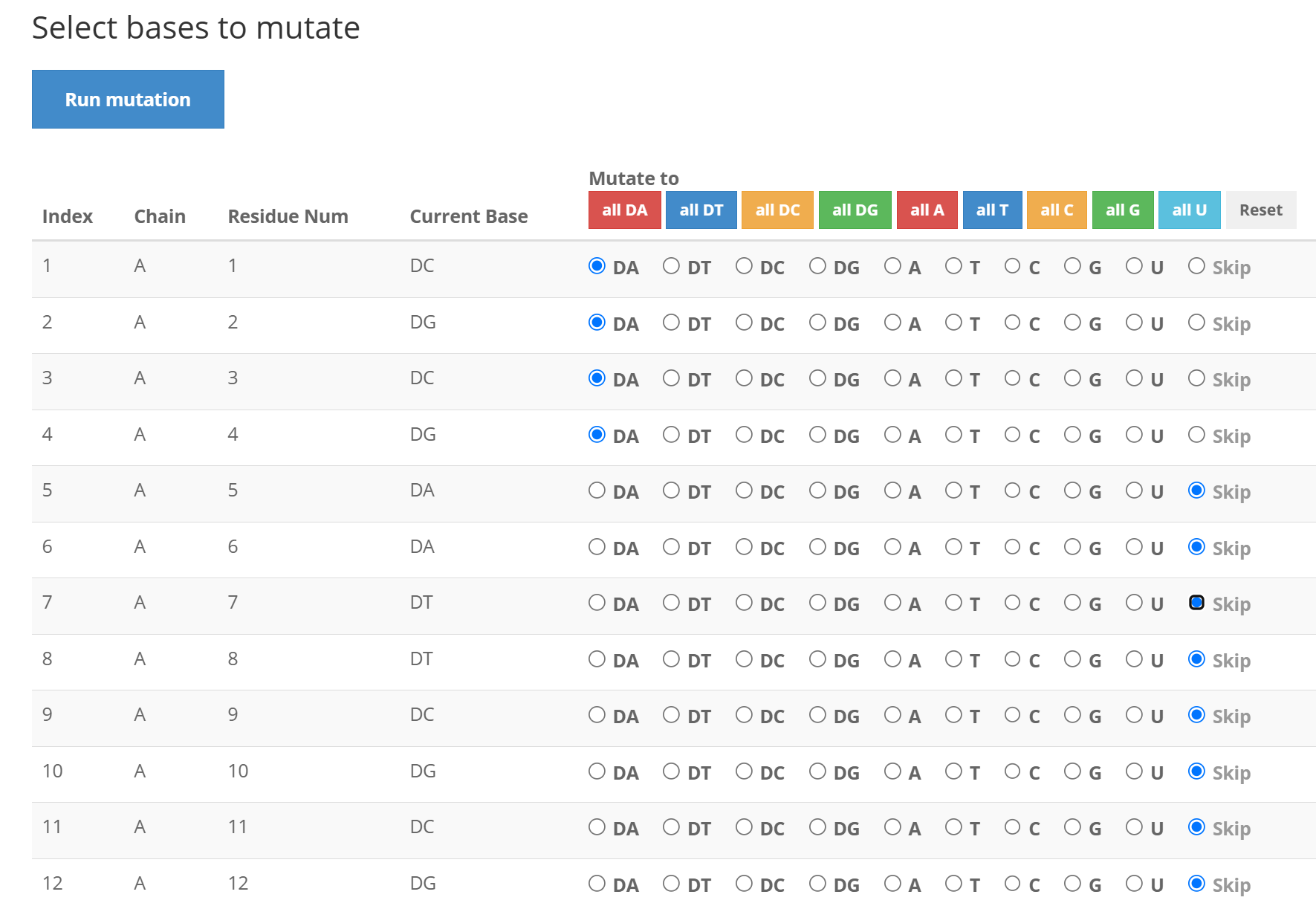
The user enters a valid PDB ID (for example, 355D) or uploads a PDB/mmCIF file, and then clicks "List all bases". On the selection page, choose the desired replacement base for each nucleotide to be changed; bases left unchanged are skipped.
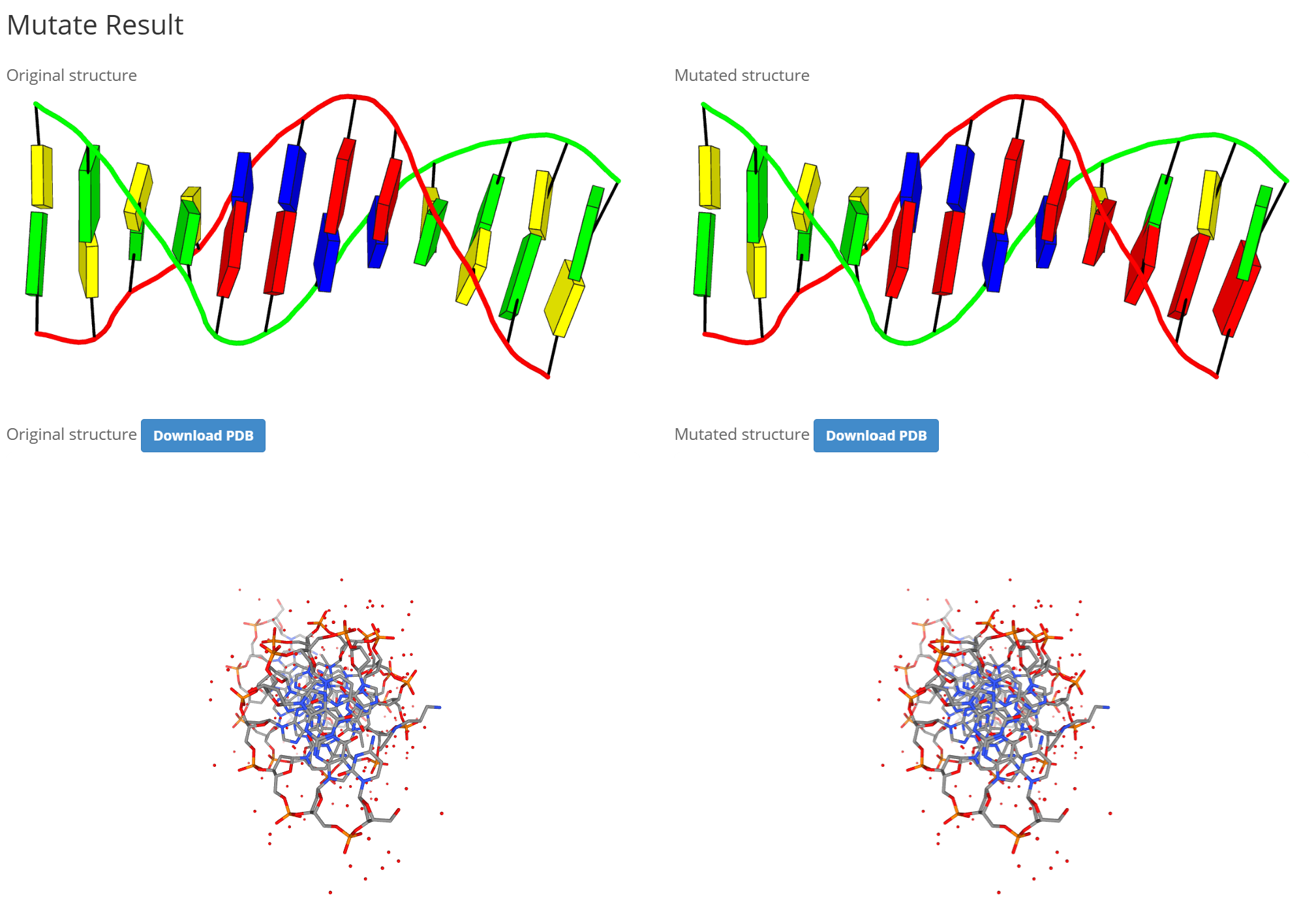
After submitting the mutation, the results page shows the original and mutated structures side by side as static images and 3D views. Both structures can be downloaded in PDB format for comparison.
7. Assemble
The Assemble component is an advanced composite model builder for linking nucleic acid duplexes or protein-DNA/RNA complexes into a larger structure.
The user can start from one of the examples or provide one or more connecting sequences together with a PDB ID or an uploaded PDB file for each source structure. An optional tail sequence can be added, and the fiber model conformation can be selected. When a PDB file is uploaded for a row, it is used instead of that row's PDB ID.
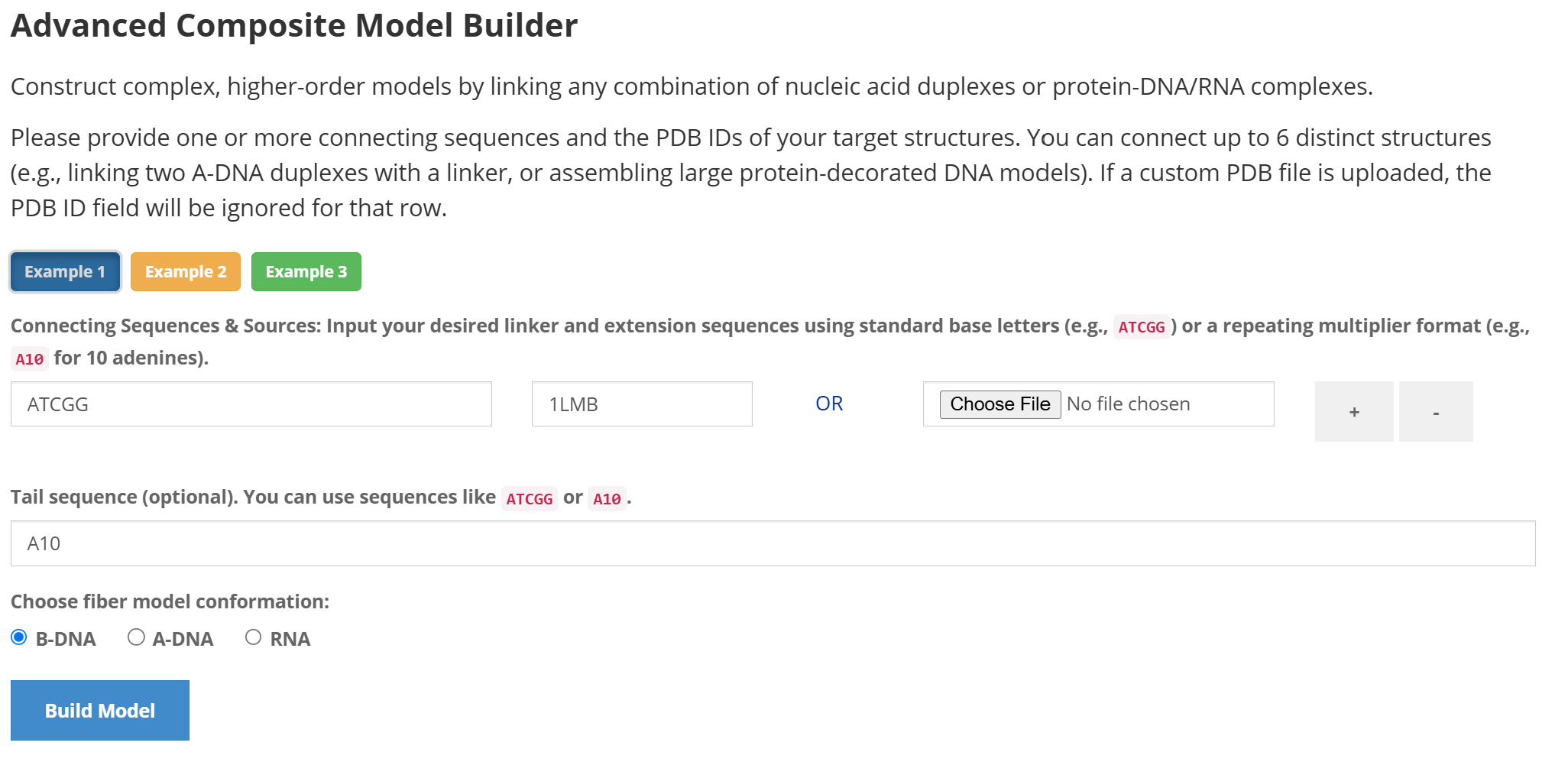
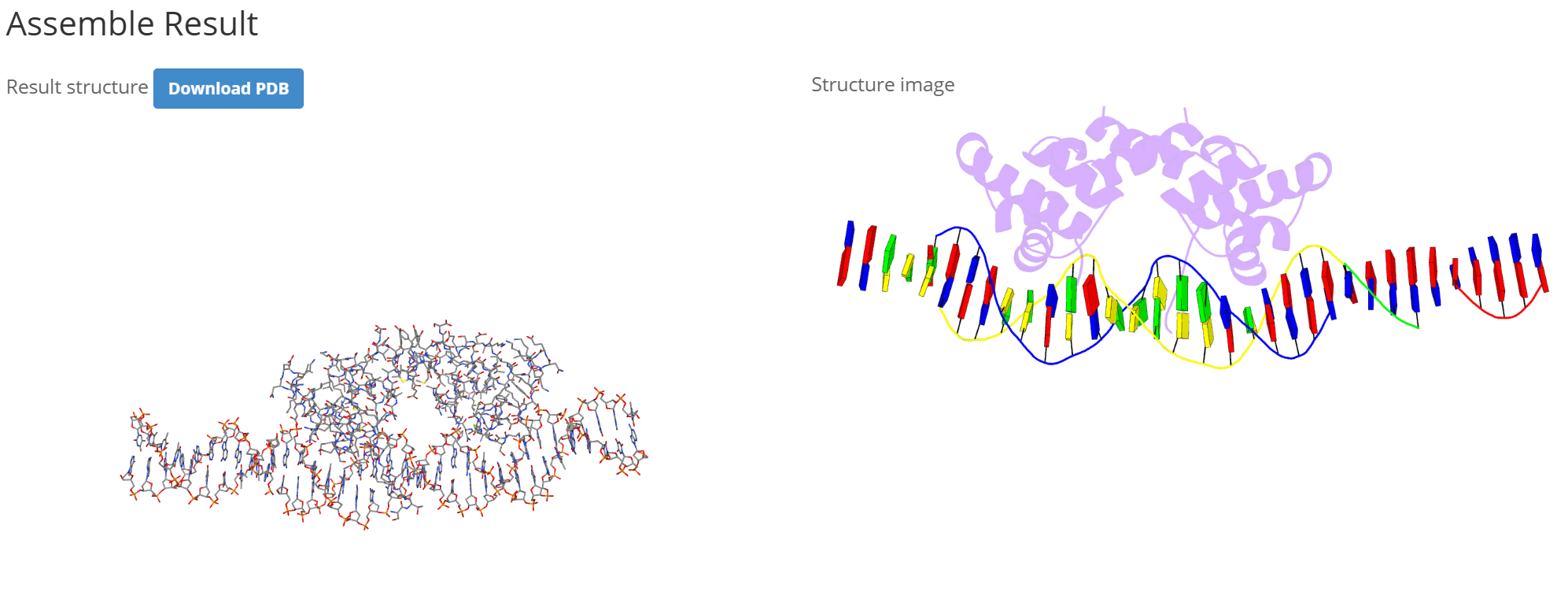
After clicking the "Build Model" button, the assembled structure is presented in an 3D viewer and as a static image. The completed composite model can be downloaded in PDB format.